The Stakes: Passwords Finally Met Their Match
Breaches kept rising, help desks drowned in reset tickets, and attackers outpaced users with slick phishing kits that hijacked one-time codes and pushed fatigue, so a different login primitive, not a harsher password rule, became the only credible path forward. The UK’s NCSC put weight behind that pivot by endorsing passkeys, signaling that phishing-resistant sign-ins had moved from novelty to baseline.
How It Works and Why It Matters
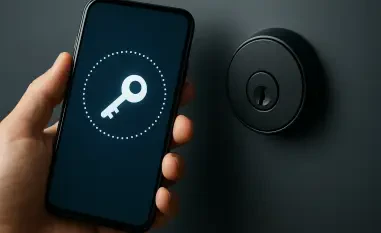
Passkeys replace shared secrets with asymmetric keys bound to an origin. During registration, a device creates a private key locally and shares only the public key with the service; at sign-in, a domain-scoped challenge is signed on-device after user verification via biometrics or a PIN. Because nothing reusable leaves the authenticator, credential stuffing and replay collapse. Unlike app-based OTP or SMS, there is no code to intercept and no push to trick, which is the decisive advantage.
The architecture’s uniqueness lies in its blend of WebAuthn ubiquity and platform-native convenience. Apple, Google, and Microsoft now sync encrypted passkeys through their clouds, or let users carry FIDO2 hardware keys. That dual model broadens coverage: consumers get seamless cross-device access, while enterprises can insist on device-bound keys or roaming tokens for admins.
Performance, Usability, and Ecosystem Reality
Measured by task time and failure rate, passkeys shorten logins and slash lockouts because users approve with a glance or touch, not a memory test. Support costs fall as resets and SMS delivery issues evaporate. However, performance depends on authenticator quality: platform biometrics feel instant, while cheap security keys may add friction without good device drivers.
NCSC’s endorsement matters beyond optics; it aligns procurement and audit with phishing-resistant MFA. Identity providers now expose passkey-first flows, step-up prompts, and risk scoring, turning origin-bound crypto into policy-aware access. That said, recovery design is the make-or-break variable. Enterprises need layered options—secondary devices, hardware keys, and admin-verified resets—mapped to risk tiers, or else lockouts shift from passwords to possession failures.
Trade-Offs, Limits, and Migration Strategy
Syncing across ecosystems introduces dependency risk and user trust questions. Providers state biometrics never leave devices and synced data stays encrypted, but organizations must explain what is backed up, who can restore, and how compromise is detected. Hardware keys avoid cloud reliance yet demand inventory control and spares; they shine for privileged access and regulated environments but add logistics.
A pragmatic path starts optional: offer passkeys alongside existing methods, watch completion rates and help-desk metrics, then tighten policies for sensitive apps. High-value cohorts can require device-bound or attested authenticators and transaction signing. Legacy systems will linger; keep fallbacks, ring-fence them, and set deprecation timelines. The differentiated value over push-based MFA is not marginal security; it is categorical resistance to phishing at equivalent or better usability.
Verdict
Passkeys delivered material security gains through origin-bound cryptography, improved user experience with fast biometric approvals, and credible scale via broad platform support. The winning deployments paired them with clear recovery playbooks, risk-based step-up, and a measured coexistence period. For most consumer and enterprise sign-ins, passkeys had become the default-worthy choice; next steps were to harden recovery, standardize attestation policies, and reserve hardware keys for the crown jewels.