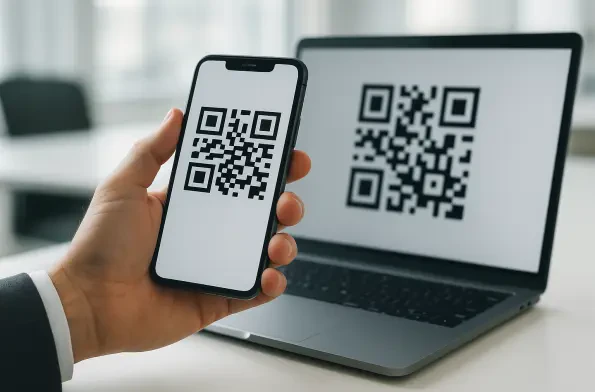
Malicious actors are increasingly using emails that mimic HR notices to pressure employees into scanning QR codes before they have the opportunity to critically evaluate the legitimacy of the sender. These deceptive communications often arrive with high-priority flags, claiming to contain updated benefits information, mandatory tax documentation, or urgent payroll adjustments. By embedding the threat within a Quick Response code, attackers exploit the inherent trust that users have developed for these convenient digital shortcuts during the rapid digitization of recent years. This specific vector, commonly referred to as quishing, effectively moves the interaction from a managed workstation to a personal mobile device, where corporate security filters are typically absent or significantly less restrictive. The psychological pressure of a deadline combined with the physical action of reaching for a phone creates a cognitive gap that bypasses traditional skepticism and standard security awareness training.
The Mechanics of Modern Digital Deception
Visual Obfuscation: Part 1. The Psychology of the Scan
The core challenge of quishing lies in its ability to circumvent standard Secure Email Gateways that were primarily designed to scan text-based links and attachments. Because a QR code is essentially an image, many legacy filtering systems fail to recognize the embedded URL as a potential threat unless they are equipped with advanced optical character recognition or specific computer vision capabilities. Hackers take advantage of this technological blind spot by layering their attacks, often hosting the malicious payload on legitimate cloud services like SharePoint or Google Drive to further evade detection. When a user scans the code, they are frequently directed through a series of rapid redirects that eventually land on a pixel-perfect imitation of a corporate login page. This method has proven remarkably successful in harvesting multifactor authentication tokens in real-time, allowing unauthorized access to sensitive cloud environments before the victim even realizes their credentials have been compromised.
Visual Obfuscation: Part 2. Technological Blind Spots
Furthermore, the shift from a desktop-centric work environment to a hybrid model has inadvertently created the perfect conditions for quishing to thrive. Employees often check their work emails on corporate laptops while their personal mobile devices are sitting nearby, creating a seamless but dangerous bridge between secure and insecure hardware. When an email instructs a user to scan a code using their phone, it effectively breaks the chain of custody for security data, as the mobile browser typically lacks the endpoint detection and response tools present on the laptop. This out-of-band communication channel is significantly harder for IT departments to monitor or log, making forensic analysis after a breach much more complicated. Attackers are fully aware of this gap and specifically design their campaigns to capitalize on the fact that mobile interfaces often truncate URLs, making it nearly impossible for a user to verify the final destination of a link during a brief window of interaction.
Strategic Countermeasures for the Modern Enterprise
Tactical Defense: Part 1. Computer Vision Integration
To combat these evolving threats, organizations are beginning to deploy sophisticated computer vision algorithms that can automatically intercept and analyze images within the email flow. These tools work by scanning the QR code in a secure, isolated sandbox environment to determine where the link leads before the message ever reaches the recipient’s inbox. If the destination is flagged as suspicious or resides on a newly registered domain, the system can block the image or replace it with a warning label. Additionally, some enterprises are implementing strict mobile application management policies that require all web traffic from mobile devices to pass through a cloud-based secure web gateway, even when the user is not on the corporate network. This ensures that even if an employee scans a malicious code, the resulting connection is still subjected to the same rigorous URL filtering and threat intelligence checks that would occur on a standard office workstation.
Tactical Defense: Part 2. Future Authentication Standards
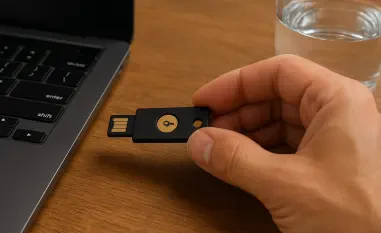
The most effective response to the rise of quishing involved a fundamental shift in how authentication and verification were handled across the enterprise. Leaders realized that relying solely on employee intuition was no longer a viable strategy against such technically adept social engineering. Consequently, many organizations successfully transitioned to phish-resistant hardware security keys and implemented robust FIDO2 standards, which rendered stolen credentials useless even if a user was tricked into scanning a malicious code. This proactive approach moved the focus from simple detection to systemic prevention, ensuring that the physical act of scanning could not compromise the digital perimeter. Security teams also established clearer internal communication protocols, mandating that any sensitive HR or financial updates be accessed only through verified internal portals rather than through external links or images. By reinforcing these structural safeguards, businesses managed to significantly reduce their attack surface while fostering a more resilient and skeptical digital culture.