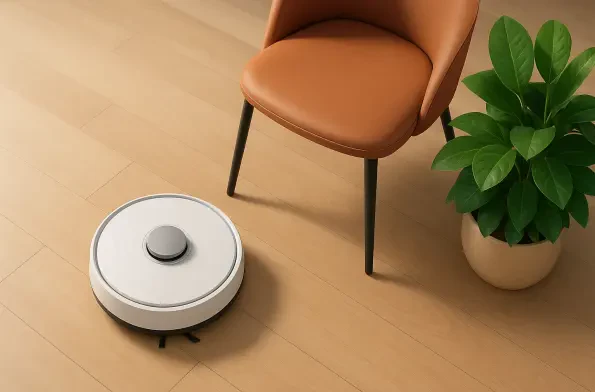
Improper certificate validation in some Eufy robot vacuums creates a risk where attackers might intercept communications to execute arbitrary code on the device. This alert comes directly from the U.S. Cybersecurity and Infrastructure Security Agency (CISA), which identified critical vulnerabilities in the Eufy Omni C20 and X10 Pro Omni models. As smart home technology becomes more integrated into daily life, the security of these internet-connected appliances is paramount. The advisory highlights flaws that could allow unauthenticated attackers to execute system commands or gain unauthorized access to sensitive user data, such as internal home maps. While there have been no confirmed reports of these exploits occurring in the wild by 2026, the potential for harm remains a significant concern for owners of these high-end cleaning machines. Maintaining the integrity of household privacy requires immediate action from users to ensure their firmware is up to date and secure. This situation underscores the ongoing challenges of securing the Internet of Things.
1. Launch the Official Mobile Tool and Identify the Affected Vacuum Model
The process of securing a smart appliance begins with the primary interface provided by the manufacturer. For Eufy users, this involves opening the official Clean application on a smartphone or tablet to gain full control over the hardware. This centralized hub serves as the essential gateway for all maintenance tasks, including critical security updates that protect the device from external threats. Once the application is open and logged in, users must navigate through their list of connected devices to locate and select the specific model that requires attention. While several different products might be listed, the current security concerns specifically target the Omni C20 and the X10 Pro Omni. Selecting the correct model opens a dedicated management screen revealing vital status information. This targeted approach ensures that subsequent security steps are applied precisely to the affected hardware. Accessing this tool and identifying the correct model is the foundational requirement for any owner wishing to mitigate the risks described in the federal advisory.
After choosing the correct vacuum model, users must delve into the internal settings to find the necessary firmware options. This involves navigating to the “Settings” menu and locating the section dedicated to software updates, which controls how the robot interacts with the cloud and interprets sensor data. It is here that the manufacturer pushes out improvements and, most importantly, security patches. Once inside this menu, the user must carefully inspect the version number currently installed on the robot. The advisory from CISA specifically mentions that any firmware build lower than version 1.6.4 is considered at risk of exploitation. This identification number represents the specific set of security protocols and operational code currently active on the hardware. If the number displayed is lower than 1.6.4, the device remains open to the risks of arbitrary code execution. Verifying this string of digits is a vital diagnostic step that provides the objective confirmation needed to proceed with the remediation process and ensure home network safety.
2. Download Critical Security Patches and Establish Automated Device Maintenance
If the verification reveals an outdated firmware version, the user must immediately initiate the download and installation of the latest patch. This typically involves clicking a “Download” or “Update Now” button to begin transferring version 1.6.4 or a more recent release to the device. The update includes corrections for pairing process flaws and certificate validation errors that could be leveraged by attackers to access private data. During this phase, it is crucial that the robot vacuum remains connected to a stable Wi-Fi signal with sufficient battery life to prevent system instability. Once the process appears to have finished, the owner must perform a final confirmation by returning to the settings menu. If the installation was successful, the version number should now reflect the updated build. This step ensures that the new security architecture is fully active and that no errors occurred during the writing of the new software. Confirming the result provides the necessary assurance that the theoretical protection has been translated into actual operational security.
To prevent future security lapses, owners of the X10 Pro Omni activated the “Auto Upgrade” feature within the update settings. This function allowed the vacuum to automatically check for and install the latest patches during early morning hours, provided it had a stable connection. Enabling this feature transformed security from a manual chore into a proactive background process, significantly reducing the window of vulnerability. In cases where the vacuum ran an outdated version but the app offered no update, users reached out to the technical support team for guidance. Support staff utilized specialized tools to push updates manually or resolved connectivity issues that blocked the patch. This outreach ensured that no device remained vulnerable due to technical glitches or regional rollout delays. Ultimately, the combination of user vigilance and professional support provided a comprehensive solution to the identified security risks. These actions established a higher standard for smart home maintenance and ensured that consumer privacy remained protected.